Is Hypic Photo Editor AI Art App Free?
People keep asking the same thing in comments, DMs, and app reviews: Is hypic Photo Editor AI Art app free, or is it just another app that hooks you with previews and hides the good stuff behind a paywall?
Short answer? Yes, it’s free, but not in the naïve “everything is unlimited” sense. Long answer? That’s what this guide is for.
I’ve spent enough time using Hypic casually and seriously to notice what it offers for free, what quietly nudges you toward payment, and where it actually makes sense for different users. If you’re just trying to edit photos or test AI art without committing money upfront, knowing these details saves frustration later.
What “Free” Really Means in Hypic (Before You Download)
When people search Is hypic Photo Editor AI Art app free, they’re usually not asking if the app costs money to install. That part’s simple. Hypic downloads without payment on Android, and you can start editing immediately. The real question is about access.
Hypic’s free version includes core AI tools, basic photo editing features, and limited AI art generation. You can edit photos, use AI filters, experiment with background generation, and export your work all without entering card details.
What you won’t get is unrestricted access. Some tools run on daily or credit-based usage. Export quality may cap out. Watermarks can appear depending on the feature. Ads show up now and then.
Still, for many users, it’s enough to create polished edits if you’re smart with how you use it.
By the way, if you want to improve composition before AI even gets involved, learning tips for cinematic shots in hypic early can make your results look way more intentional. AI can’t fix poor framing completely.
Does Hypic Actually Let You Create AI Art for Free?
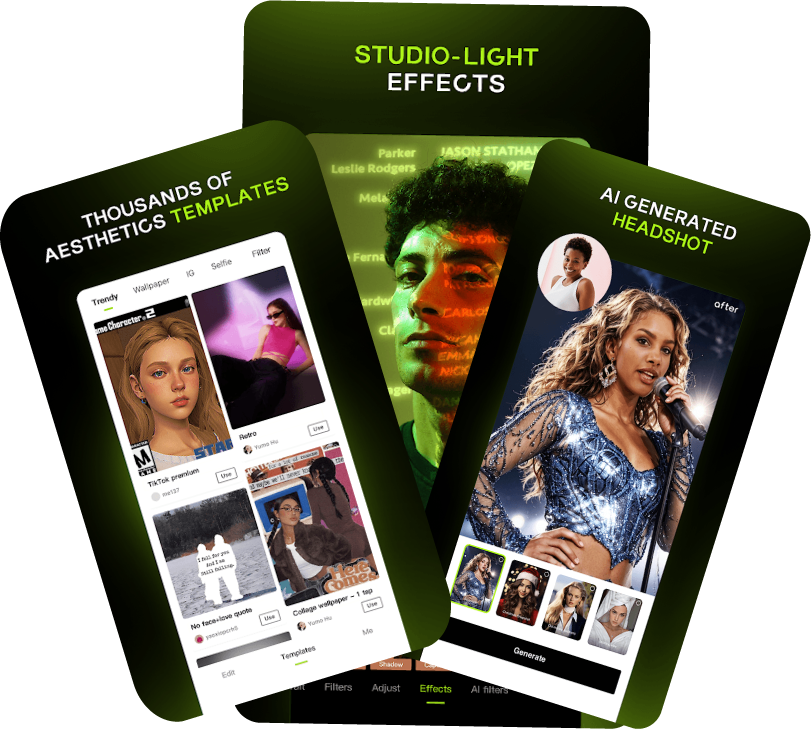
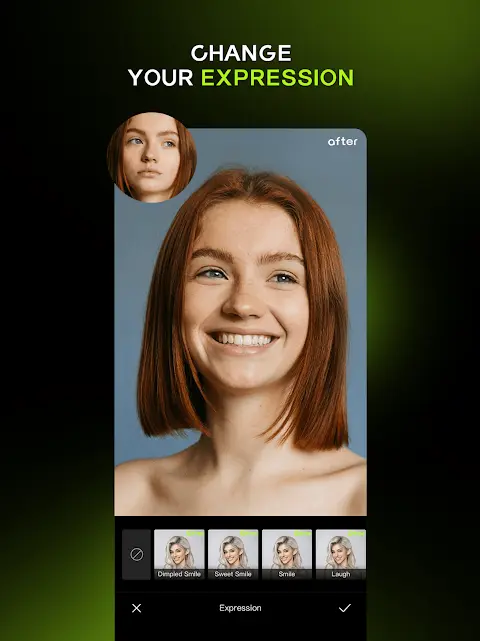
Yes, within limits. Hypic includes AI art generation tools that allow free users to test text-to-image features, AI expand tools, and AI filters. This is where the Hypic AI Art app free label holds up.
You might only get a certain number of generations per day. Some prompts take longer to process. Advanced styles may be locked. But the core experience is definitely accessible without paying.
This matters because many AI art apps don’t even allow a single export unless you subscribe. Hypic at least lets you experiment before deciding.
If you plan to preview or edit images on larger screens, especially for detailed retouching, checking their Hypic pc version compatibility or emulation options may help, even though Hypic is primarily mobile-focused.
Hypic Free vs Paid: Where the Line Is Drawn
Understanding Hypic free vs paid isn’t about counting features. It’s about control and convenience.
With the free version:
- AI tools work but with usage limits
- Export resolution may be reduced
- Some outputs include watermarks
- Ads exist, though they’re not aggressive
With paid access (often listed as Pro or premium):
- HD or full-resolution exports unlock
- Watermarks disappear
- More AI credits or unlimited usage
- Faster processing and no ads
Here’s the thing many overlook: free users still get functional tools. Paid users get freedom from friction. That’s the trade-off.
So when someone asks Is hypic Photo Editor AI Art app free, the honest reply is that the app respects free users more than most — but it definitely rewards upgrades.
What You Can Do Comfortably Without Paying
A surprising amount, actually.
You can:
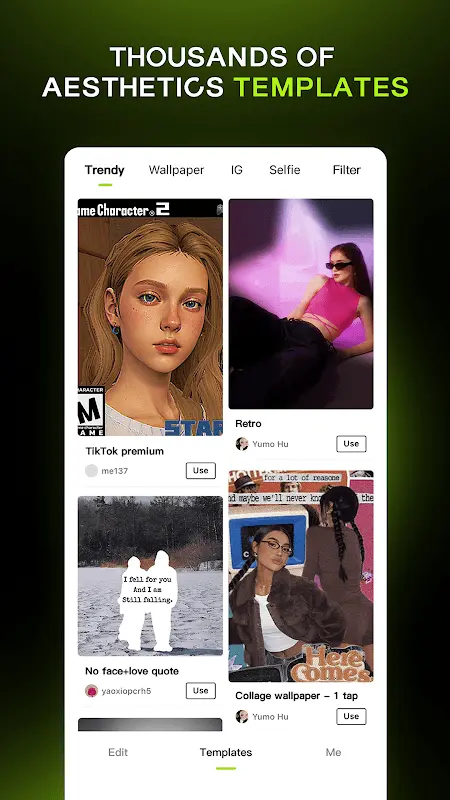
- Edit photos using AI filters
- Use background generation for portraits
- Try AI expand on small areas
- Create AI artwork drafts
- Export images for social media
For casual creators, social media users, and people learning AI editing, Hypic without subscription feels practical.
If you’re using an older device or prefer stability over flashy updates, trying hypic older versions might also suit your workflow better. Some users say earlier builds feel lighter and more predictable.
Where Free Users Start Feeling the Limits
This is where expectations matter.
Free users will notice caps when:
- Exporting high-resolution files
- Using advanced AI art styles repeatedly
- Removing watermarks consistently
- Generating bulk AI images
If you’re doing client work, professional branding, or batch creation, free usage will feel tight fast. For personal projects or occasional posts, it’s manageable.
That’s why the Is hypic Photo Editor AI Art app free question depends on how you plan to use it, not just whether the app charges money.
Android Experience: Free Version in Real Use
On Android, Hypic runs smoothly even on mid-range phones. That’s where it shines.
The Hypic Photo Editor free experience on Android includes:
- Core AI editing tools
- AI expand feature access
- AI art generation (limited)
- Basic export options
It’s available through the Play Store, installs easily, and doesn’t spam hidden subscriptions. For people comparing AI photo editor Android free options, Hypic feels surprisingly fair.
Users on Apple devices usually ask if everything translates well across platforms. The hypic iOS version does stay close feature-wise, though pricing models and export limitations may vary slightly due to platform policies.
Is Hypic Safe to Use Without Paying?
Safety isn’t just about malware. It’s about transparency.
Hypic doesn’t force hidden charges. It clearly labels premium features, shows subscription pricing before checkout, and lets free users continue editing without nag screens every two minutes.
AI images stay within the app unless you export them. Standard privacy practices apply. No major red flags have surfaced around data misuse.
That said, AI-generated images are still content you create. If you plan to use custom prompts or copyrighted material, it helps to understand how prompting works. Playing around with ai prompts gold can actually reduce trial-and-error wasted credits.
Pros and Cons of Hypic’s Free AI Art Model
What works well
- Free access to real AI tools
- No forced subscription wall
- Good Android performance
- Allows learning and experimentation
Where it falls short
- Limited AI generations
- Watermarks on some outputs
- Export quality restrictions
- Ads can interrupt flow
None of these are deal-breakers for casual users. Professionals, though, may outgrow the free tier quickly.
Should You Pay or Stick With Free?
Here’s a practical way to decide.
Stick with free if:
- You edit casually
- You post on social media
- You’re learning AI tools
- You don’t need HD exports
Consider paid if:
- You create content regularly
- You want watermark-free images
- You run multiple AI generations daily
- You use Hypic for work or branding
That’s why the answer to Is hypic Photo Editor AI Art app free changes based on the person asking.
Final Thoughts from Someone Who’s Used It
Hypic doesn’t pretend to be something it’s not. It gives real AI features without demanding payment up front, and that’s refreshing. You can explore, test, experiment, and even create decent results without paying a cent. The limits aren’t hidden traps, they’re clear boundaries. So yes, Is hypic Photo Editor AI Art app free? Absolutely. Just don’t expect unlimited everything forever.